Mac Mini eSata Hard Disk

Update(2/11/2007): Warranty Voiding Update & Misc Pics
Mac Mini Disassembly links:
OWC's Mac Mini disassembly video
Macworld Mac Mini disassembly
DSCN3257.JPG
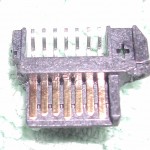
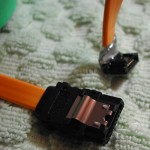
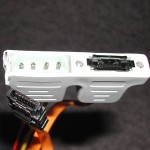
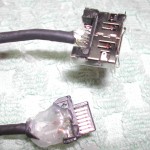
Sata connector plug.
(Mouser.com Part #538-67491-0020)
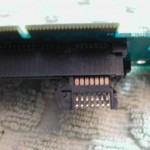
DSCN3259.JPG
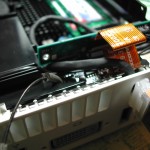
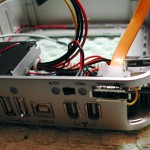
Test fitting SATA connector into the Mini interconnect board. Have to shave off a bit of the plastic connector to fit the interconnect board. (modify plug, not interconnect board)
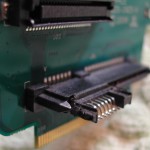
DSCN3260.JPG
Another view of Sata connector/Mini Interconnect board.
DSCN3262.JPG
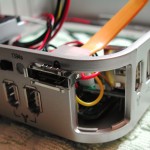
Running the rounded eSata cable through the Kensington security lock opening. No pics of the rounding of the eSata cable. But, It's very easy - there are only 7 wires total. 3 ground, and 4 signal cables. Strip original covering off Sata cable, re-organize into something that will fit through the security lock opening when covered in heatshrink.
DSCN3263.JPG
Rounded Sata Cable through the security lock opening. Obviously the Sata connector which will plug into the Interconnect board doesn't fit through the security lock opening, so I have to solder that connector on at this point.
DSCN3264.JPG
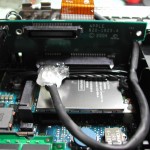
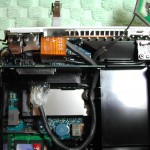
Routing of the rounded sata cable to the interconnect board. The soldered on Sata connector has been soldered on and covered in hot-glue to prevent shorts. Used tiny bit of hot glue to secure Sata connector to interconnect board.
DSCN3265.JPG
Another view of the rounded eSata cable routed through the security lock opening.
DSCN3266.JPG
And yet another view of path taken from outside the case to the interconnect board.
DSCN3268.JPG
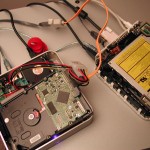
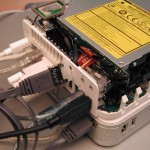
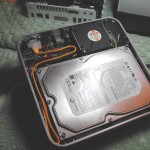
Test setup. eSata cable connects Mini to the 3.5inch hard disc directly.
DSCN3269.JPG
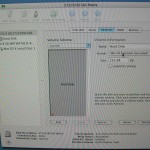
Disk Utility found the drive. Created a single partition, and installed OS X.
DSCN3270.JPG
Hacking up the MiniStack enclosure. Removed the corner ventilation panel to better fit in the eSata cable.
DSCN3271.JPG
Another view of fitting the eSata connector in the MiniStack.
DSCN3272.JPG
There is not enough room inside the Ministack to fit a full size Sata connector (bottom pic), so I had to hack up the connector to make it shorter, and exit at a 90degree angle. Hot glue once again covers the exposed wire.
DSCN3273.JPG
Initial Sata cable routing. Possible TODO: shorten the Sata cable and solder on a new Sata plug to reduce excess wire in the case.
DSCN3274.JPG
Another shot of the initial cable routing.
DSCN3275.JPG
Cable origami.
DSCN3276.JPG
Reassmbled for testing.
DSCN3279.JPG
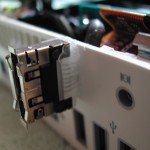
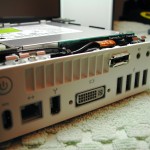
Closeup of the external eSata. Used hobby knife to shave down the excess connector to fit into the security lock opening. Also use a tiny bit of "shoe goo" to secure the eSata connector in place. The stuff holds really well, and comes off clean.
DSCN3280.JPG
Had to bend the metal portion of what becomes security lock port when the mini is put back together. Since the goal is to have this process as reversable as possible, I did not want to just cut the tab off. Covered bent tab with electrical tape, just in case it come in contact with the sound board cable or anything else when the case is closed.
DSCN3282.JPG
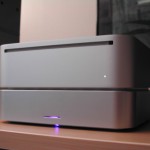
Finished view 1.
DSCN3283.JPG
Finished view 2.
DSCN3284.JPG
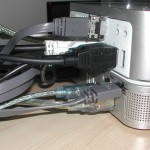
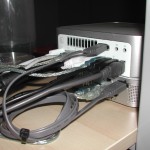
All cables installed. TODO: find short eSata cable. (6in-1ft. would be great
DSCN3286.JPG
Finished. Results: Much faster, much more capacity than the stock or any replacement 2.5inch drive. Easily reversible to stock configuration if needed.